Can a ChatGPT subscription power a voice assistant?
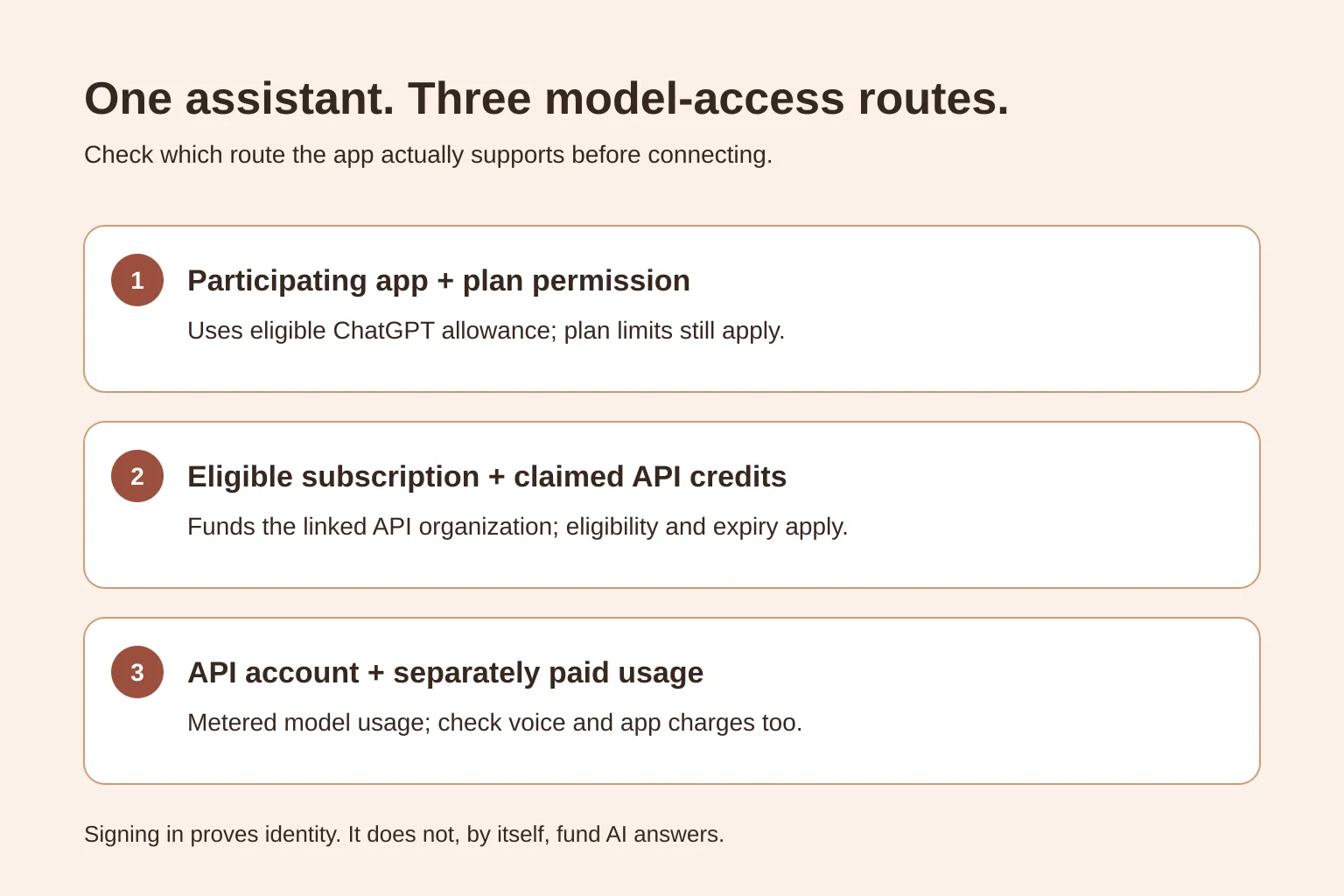
A ChatGPT subscription can power a separate voice assistant only through a supported connection; it isn't a universal API pass. Participating apps can offer separately authorized ChatGPT plan usage, while eligible Pro and Business owners can claim credits for an API organization. Other API-based assistants need separately funded API usage, whether you pay the provider directly or the app includes it in its price.
Can I use my ChatGPT subscription in another app?
Yes, if the app supports OpenAI's ChatGPT plan-usage connection and your account is eligible for that app. A Sign in with ChatGPT button can also be identity-only: it may create your account without paying for any AI requests. Look for a separate permission to use your ChatGPT plan.
OpenAI's guide to using your plan in other apps lists Go, Plus, Pro and Business for participating commercial apps, subject to the app's requirements and plan or administrator controls. This does not mean every app, every plan or every model is supported.
For an everyday user, the distinction is simple: signing in answers “who are you?”; plan permission answers “may this app use your allowance?” OpenAI's Sign in with ChatGPT quickstart explicitly separates those permissions.
Choose the route the assistant actually supports
| Route | What you need | What pays for the AI requests |
|---|---|---|
| Participating app using your ChatGPT plan | A supported account and separate plan-usage consent | Eligible included allowance or applicable credits, within plan controls |
| API app using subscription-linked credits | An eligible Pro or Business owner, a claimed benefit, and a project key from the linked API organization | That organization's API credits; usage is still metered |
| API app using paid usage | A funded API account, or an app that clearly includes provider usage | Separately paid API usage, plus any app or voice-service charges |
An API is the connection an app uses to request an AI answer. An API key authorizes that connection; it isn't the password for your ChatGPT account.
Hosted apps need approval for plan usage
OpenAI's open-source plan-usage documentation covers open-source and locally hosted apps. Paid or remotely hosted apps must apply through OpenAI's interest form; the quickstart describes commercial access as a limited trial for selected partners.
If you're choosing a hosted assistant, ask whether it supports ChatGPT plan usage, not merely ChatGPT sign-in. If you're building your own assistant, the local open-source flow is not a shortcut to approval for a hosted service.
With a supported connection, eligible requests count against your plan's applicable allowance. Review the app's usage controls in ChatGPT settings and any permission to spend additional credits. Plan sign-in does not itself give the assistant your ChatGPT conversations or memories.
Check for API credits before buying them
OpenAI's API-credit benefit is a different route from sharing plan allowance with a participating app. It grants credits to an API organization so apps can use the API through that organization's project keys.
The published eligibility requirements are:
- An active, paid Pro or Business subscription at least seven days old. Trials and complimentary subscriptions don't qualify.
- Ownership of both the subscription or Business workspace and the receiving API organization.
- The same email address for the ChatGPT account and the API account used to link the organization.
Plus, Go, Free and Enterprise are not eligible for this API-credit benefit. Being a Business member alone is not enough to claim it; the ownership requirements matter.
To check and claim it:
- Sign in to the ChatGPT account that owns the eligible subscription.
- For Pro, open Settings → Billing. For Business, open the workspace's billing settings or Admin Console.
- Find the API-credit benefit and review which API organization will receive it.
- Activate the benefit, then check the balance in API Platform billing settings.
- Use a project API key belonging to that linked organization in an assistant that supports API access.
The allowance depends on the plan or paid Business seats. For example, OpenAI currently lists $100 in monthly API credits for the $100 Pro tier; the first grant is prorated for the time remaining in the billing cycle. Don't assume a new account gets the full monthly amount immediately.
Unused credits expire and don't roll over. No API payment method is required while active free credits remain. When those credits run out, usage continues against purchased credits if available; with no credits left, requests fail. Check any automatic-recharge setting before testing.
Without eligible credits, API billing is separate
A ChatGPT payment doesn't automatically fund an API project. OpenAI's billing guide confirms that ChatGPT and API billing are separate systems, even when a subscription benefit supplies promotional API credits.
Before connecting an API-based assistant, check who pays the provider. Some apps ask you to connect your own API project; others charge you for included usage. Ask what happens when the included balance ends, and whether speech services cost extra.
For a self-funded setup, review OpenAI's current API rates, fund the intended organization, and use a restricted project key. Keep the key out of public code, screenshots and email. Start with one short request and inspect usage before running long conversations or background tasks.
Example: you have Plus and want an assistant named Sol
Say you already pay for ChatGPT Plus and find a voice app with a ChatGPT sign-in button. First, check whether its authorization screen offers plan usage for your account. If it only shares your identity, your Plus payment is not covering that app's answers.
If the app instead requests an API key, Plus doesn't qualify for the API-credit benefit described above. Your choices are a separately funded API setup, a participating app with supported plan usage, or voice inside ChatGPT itself. Don't upgrade just because an app has a login button; establish the connection and expected charges first.
A voice preview and an AI answer are different
Reading a sample sentence aloud tests a voice. Generating an answer requires model access as well. Check whether an assistant uses browser speech, a separate speech provider, or a real-time audio model, and what microphone permission it requests.
If your immediate goal is simply to talk with ChatGPT, ChatGPT's own Voice experience avoids a separate assistant's model-connection setup. Available voice options depend on your plan, region, app version and account controls.
Try a name and browser voice before choosing a connection
Tavi's free name and browser-voice preview lets you choose a name, try an available device voice and create a free account to save your setup, with no card or microphone permission needed; see how saved names and voices work. Voices depend on your browser and device, and online voices may send sample text to their speech provider. The preview reads a sample rather than an AI answer: real answers aren't active, a ChatGPT subscription doesn't currently connect to Tavi, and Tavi's subscriptions aren't open.
Sources checked on 20 November 2026. Review the linked eligibility and billing pages before authorizing usage.